
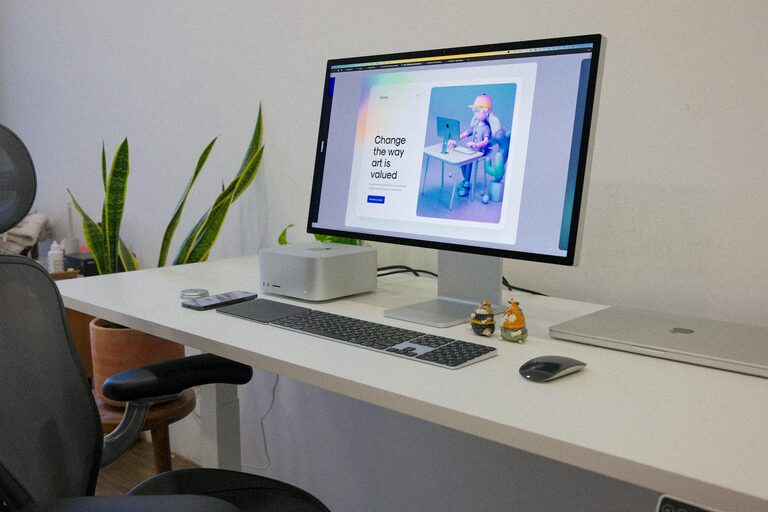
Creating a desk setup that promotes focus and comfort is essential for anyone who spends significant time working or studying. A well-organized, ergonomic workspace can improve concentration, reduce physical strain, and make your daily tasks more enjoyable. Whether you work from home, in an office, or a combination of both, following these desk setup tips will help you design a space that supports productivity and well-being.
Why a Good Desk Setup Matters
Your environment directly impacts your ability to focus and stay comfortable throughout the day. Poor posture, clutter, and inadequate lighting can cause discomfort, distractions, and fatigue. By optimizing your desk setup, you create a space that encourages longer periods of concentration and reduces the risk of discomfort or injury.
—
Key Elements of a Focus-Friendly Desk Setup
1. Choose the Right Desk and Chair
– Desk height: Your desk should allow your elbows to be at a 90-degree angle when typing or writing.
– Chair support: Select a chair with adjustable height, good lumbar support, and comfortable cushioning.
– Movement: If possible, consider a sit-stand desk to change positions and reduce stiffness.
2. Position Your Monitor Properly
– Place your monitor directly in front of you to avoid neck strain.
– The top of the screen should be at or just below eye level.
– Maintain an arm’s length distance between your eyes and the monitor.
3. Optimize Lighting
– Use natural light wherever possible but avoid glare on your screen.
– Position a desk lamp with adjustable brightness to reduce eye strain.
– Choose light bulbs with a color temperature around 4000K to 5000K for balanced brightness.
4. Organize Your Supplies
– Keep frequently used items within arm’s reach to minimize distractions.
– Use desk organizers, trays, or drawers to keep your workspace tidy.
– Limit clutter by storing seldom-used materials elsewhere.
5. Manage Cables and Electronics
– Use cable organizers or clips to keep wires neat and out of the way.
– Consider wireless accessories, like keyboard and mouse, to reduce cord mess.
– Place chargers and power strips out of direct sight but within easy access.
—
Ergonomic Tips for Comfort
Proper Posture
– Sit with your back straight and shoulders relaxed.
– Keep your feet flat on the floor or on a footrest.
– Avoid crossing your legs to promote better circulation.
Keyboard and Mouse Placement
– Keep your keyboard and mouse at the same level as your elbows.
– Select ergonomic keyboards or mice if possible to reduce strain.
– Take breaks to stretch your hands and wrists throughout the day.
Taking Breaks and Movement
– Follow the 20-20-20 rule: every 20 minutes look at something 20 feet away for 20 seconds.
– Stand up and move around at least once every hour.
– Consider light stretching or simple exercises to relieve tension.
—
Personalizing Your Workspace
Adding personal touches to your desk can make it a more enjoyable place to spend time. Consider including:
– Plants: Small potted plants can improve air quality and add a calming touch.
– Photos or art: Items that inspire or uplift you can boost mood and motivation.
– Comfort items: A cozy cushion, wrist rest, or a favorite mug can increase comfort.
—
Final Thoughts
A thoughtfully arranged desk setup is more than just aesthetics—it directly influences how well you work and feel. By focusing on ergonomics, organization, lighting, and personalization, you create a workspace that enhances your ability to focus and stay comfortable throughout the day. Implementing even a few of these tips can make a significant difference in your work and study experience.
Remember, your ideal desk setup may evolve over time, so keep experimenting until you find what works best for you!